The problem
For a long time I had the usual graveyard — TikToks saved in passing, Reddit threads bookmarked with vague intent, articles I was certain I'd want later. Later arrived as a wall of thumbnails I didn't trust enough to open, because I couldn't remember why I'd saved any of them in the first place.
The gap wasn't storage. It was context. I'd saved a Reddit thread of NYC bakeries, but by the time I landed in Manhattan I couldn't find it among forty other saved links — and even if I had, I'd lost whatever it was that made me save it. The save was useless at exactly the moment it should have been useful.
What I built first — and why I changed it
The first version was a retrieval app. You saved a link, attached context cues ("NYC trip", "May"), and when that moment arrived the app filtered your saves down to three to five concrete picks. The pitch was simple: less noise at the moment of use.
It worked. But using it revealed something the brief hadn't captured. The notes people wrote when saving — "pandan i love pandannn", "people come people go i still have people to eat with", "I am struggling but contented somehow" — were more interesting than the saves themselves. They were a record of a person's thinking over time, accumulating quietly in the background, and the app was ignoring all of it.
That's when the question changed. Not "what did I save for this situation?" but "what has my mind been circling without me noticing?" The pivot was away from retrieval speed and toward treating the corpus of saves and notes as a body of thought worth taking seriously.
What it does now
Olive has three surfaces that build on each other:
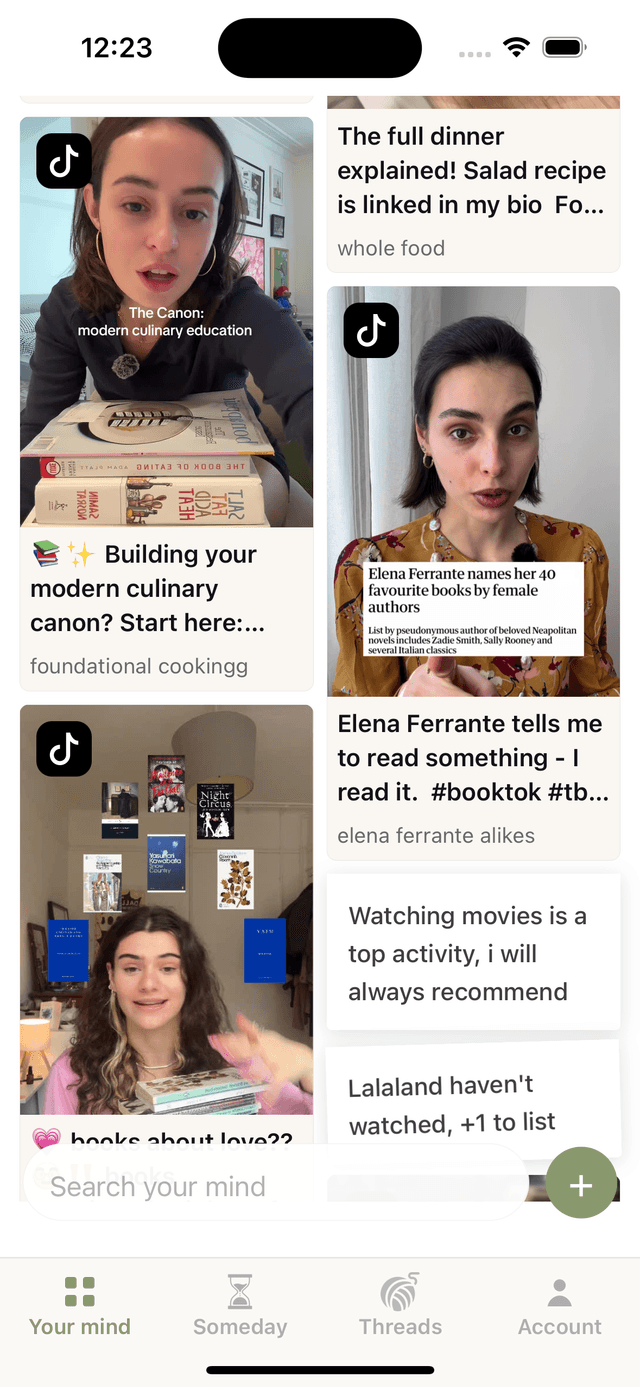
- Your mind — a masonry canvas of everything saved. Media saves with real thumbnails, manual jots as paper notes with a slight rotation. The canvas is deliberately unorganised — it's a brain dump, not a filing system, and it should feel like one.
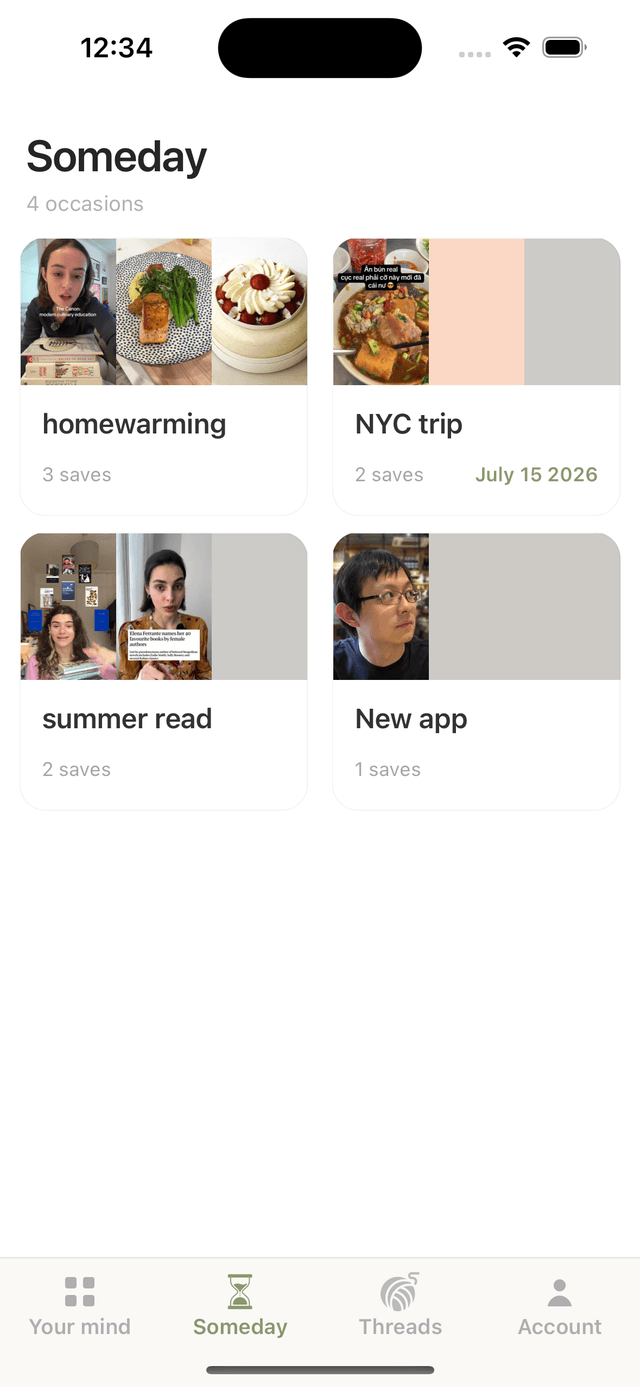
- When — saves grouped by occasion. The occasion name is extracted by AI from the user's own note ("London trip in May" → "London trip"), not from a calendar picker. That distinction matters: the user is naming their context in natural language rather than filling in a form.
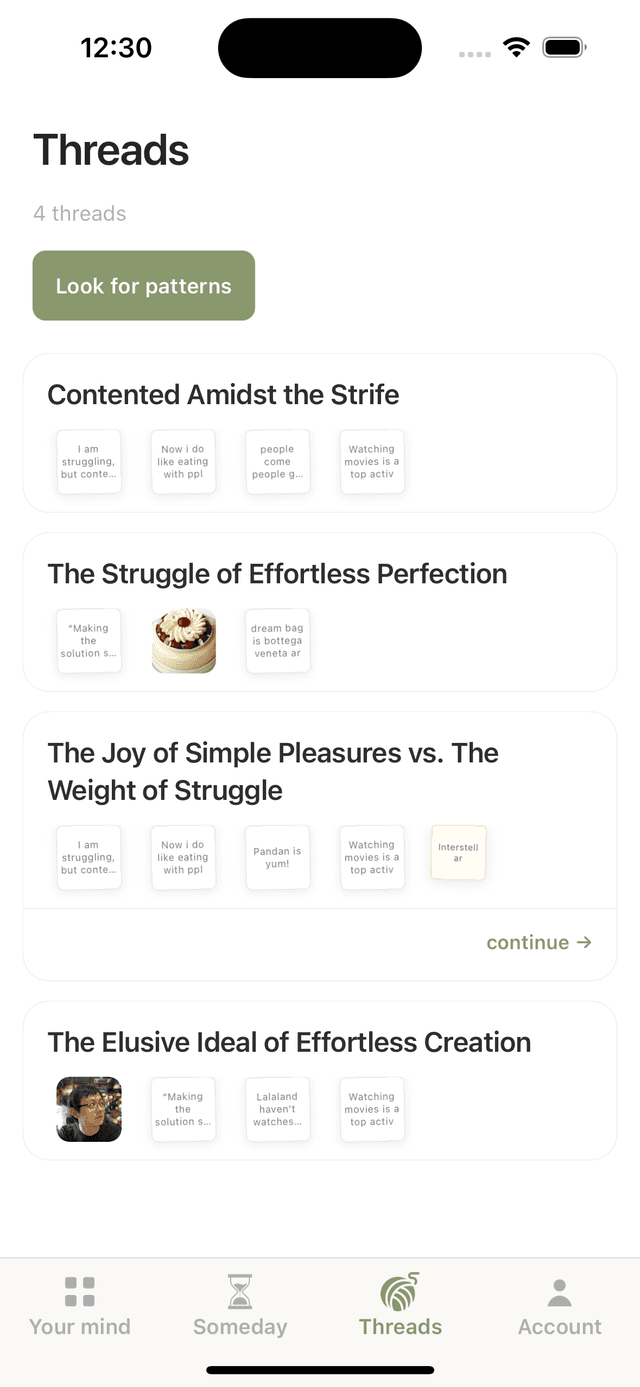
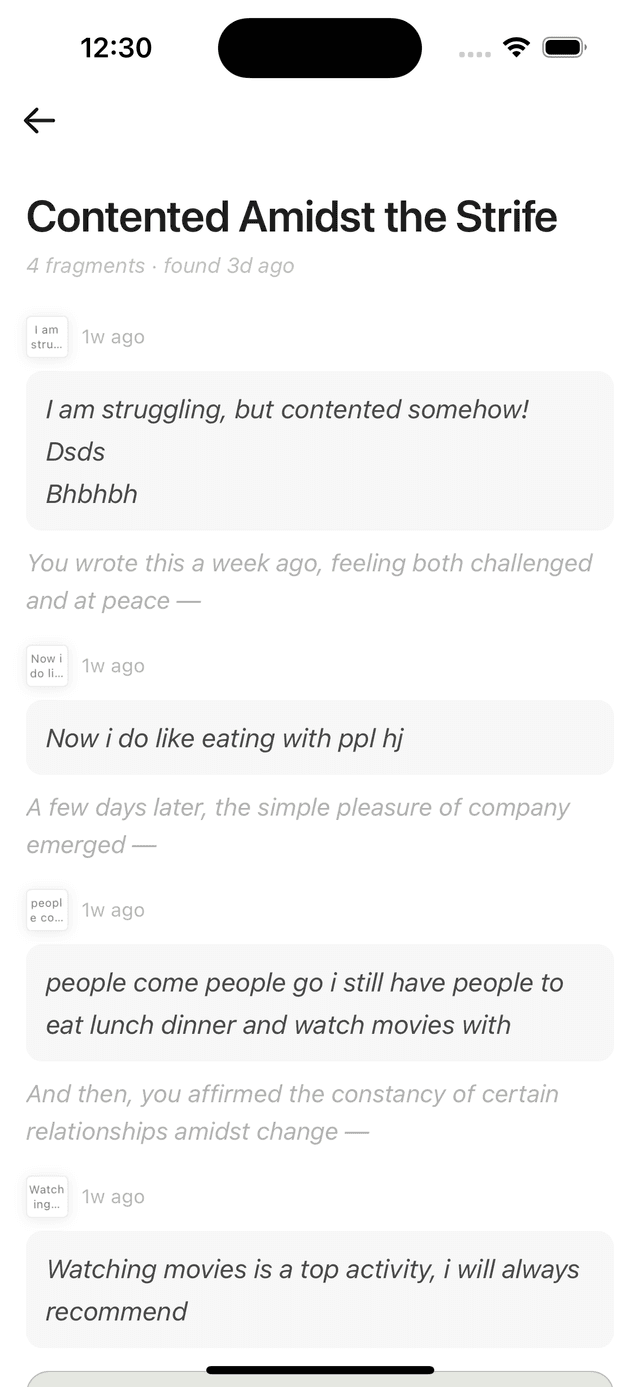
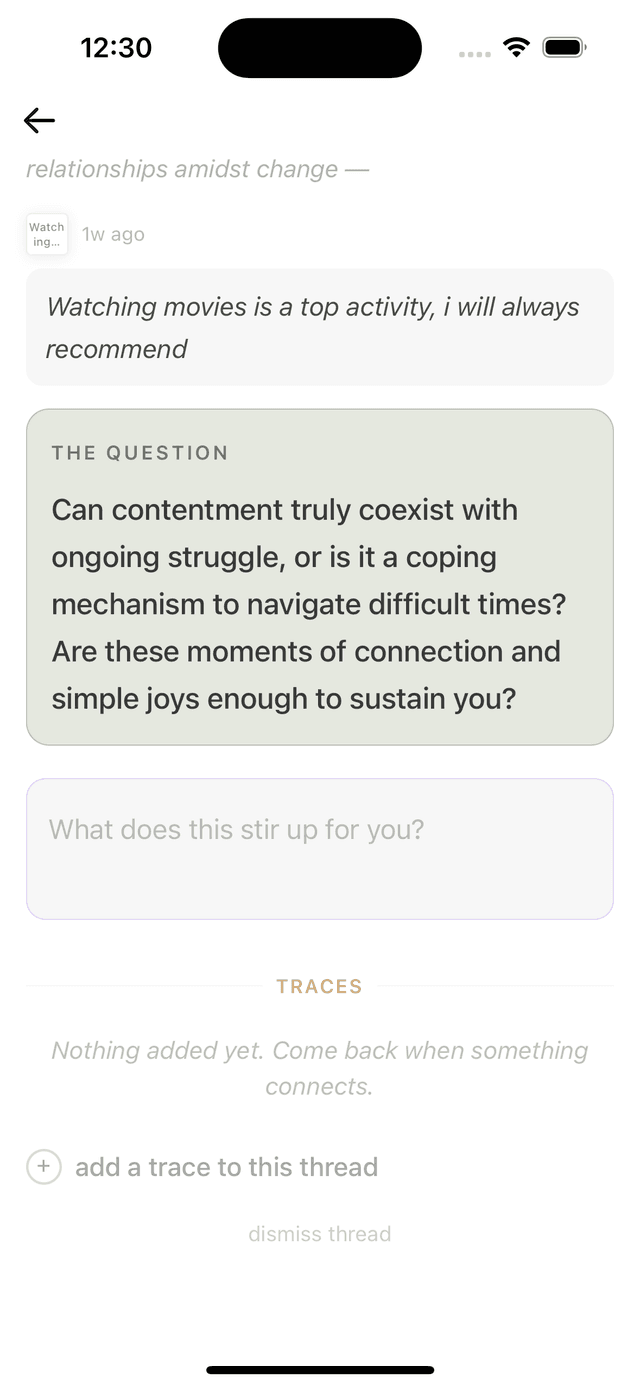
- Echoes — AI-found patterns across saves and notes, surfaced as threads. Each echo has a title that names the pattern with a slight interpretive lean ("You keep reaching for structure while writing about contentment"), the user's own words arranged in chronological order, and a single provocation — one question the user can't answer immediately. Users can respond, add traces, and return to echoes over time as their thinking develops.
Key decisions
Processing on device, not the server
The original architecture processed saves server-side via Cloud Functions. It broke on Reddit almost immediately: hosted server IPs are routinely blocked by Reddit's JSON API, and there's no straightforward workaround from a server context. Moving content extraction to the device fixed it — the device can reach Reddit just fine, because it looks like a regular user.
This shaped a broader principle: the client is responsible for content it can legally and technically reach, while the server handles expensive AI passes — thread generation, reprocessing — where it has the right context and credentials. New saves enter Firestore with status: 'processing', a flag that tells the Cloud Function to skip them and prevents double-processing without any coordination logic.
AI extraction with a confidence threshold
Early builds extracted occasion names from every save, regardless of how much signal the note actually contained. A save with the note "pandan so yummm" would produce an occasion called "pandan" — meaningless as a grouping. Worse, a save with a calendar date in the note would produce an occasion called "May 1 2026" instead of something human like "London trip".
The fix was to have the extraction prompt return a confidence score alongside the occasion name. Only high-confidence extractions — notes that clearly contain a named event and a time reference — produce an occasion. Everything else saves ungrouped. The When tab shows fewer cards as a result, but every card that does appear actually means something.
Thread quality over thread volume
Thread generation runs as a callable Cloud Function triggered manually during development, not on a schedule. That was a deliberate choice: don't automate until the output quality is confirmed on real data. Running the trigger against actual saves and reading the output is how you catch a prompt that produces connector text that sounds like a database report ("Additionally, on this date, you also saved:") versus one that sounds like a thoughtful friend reading your notes ("Three days later, you wrote —"). That difference lives entirely in the prompt and is only visible with real content.
A native share extension, not a paste flow
Getting a URL into the app shouldn't require opening the app first. Olive ships an iOS share extension — a Swift UIViewController that appears in the system share sheet from any app. When a user shares a TikTok or article to Olive, the extension writes the URL to a shared App Group UserDefaults container and dismisses in under two seconds. The main app reads the pending URL on next foreground via a native bridge module, then navigates directly to the save screen with the link pre-filled. No clipboard, no switching apps, no friction between the impulse and the save.
What's next
In priority order:
- Scheduled thread generation — currently triggered manually for quality control. The move to a nightly Cloud Function is ready in principle; what it's waiting on is enough real-user data to confirm that the prompt holds up across different saving styles before it runs automatically.
- Onboarding — the first screen a new user sees should carry the product's personality, not a feature checklist. The designed flow gets users to drop their first thought into the canvas before they've finished setting up, so the app never feels empty when they arrive.
- Resurfacing — a monthly push notification that surfaces saves whose context cues match the current moment. The infrastructure is in place via Cloud Functions; it's a question of tuning the matching logic so the notification feels uncanny rather than random.
What I'd do differently
The thing I'd validate earlier is the note field itself. I built the full retrieval system — the shortlist feature, the AI filtering, the cue-matching — before I had enough real usage to know whether retrieval was actually the right problem. By the time I confirmed it worked, I'd already noticed that the notes people wrote when saving were more interesting than anything the retrieval feature was doing with them. The pivot was right, but it came after a significant detour.
The better sequence: build the note field and canvas first, use the app myself for two weeks, and let the pattern of what I was actually writing tell me what the product should do next. The retrieval feature would have either confirmed itself as necessary or revealed itself as a distraction much sooner — and either outcome would have been more useful than building it in full before finding out.
Olive is not trying to replace search or social. It's trying to answer one question well — what has my mind been circling, and what does it mean — and to answer it in a way that feels like the app is paying attention rather than just storing things.
Still in TestFlight
Olive is running on device with real saves and real AI-generated echoes — not yet public. If you'd like a walkthrough or a TestFlight invite, reach out.
Request a walkthrough →