Building Kiwizdom: A PDF-First Knowledge Tool Designed for What Comes Next
I had a Notion database, an Obsidian vault, a Logseq graph, and a Readwise account. I also had the nagging feeling that none of them were working. I'd spend an hour on structure, close the laptop, and never return to the notes. The system had become the product — and actual thinking was the casualty.
The specific pain: my PDF highlights were stranded. Papers, reports, long articles — the reading I cared most about — were stuck inside reader apps or dumped into flat exports that had no relationship to my notes. I wanted the moment of highlighting and the moment of thinking to happen in the same place.
That's Kiwizdom.
The Problem
Most note-taking tools have the same failure mode: you spend more time managing the system than using it. The system becomes the product. Actual thinking is the casualty.
The specific pain was worse: my PDF highlights were stranded. Papers, reports, long articles — the reading I cared most about — were stuck inside reader apps or dumped into flat exports with no relationship to my notes.
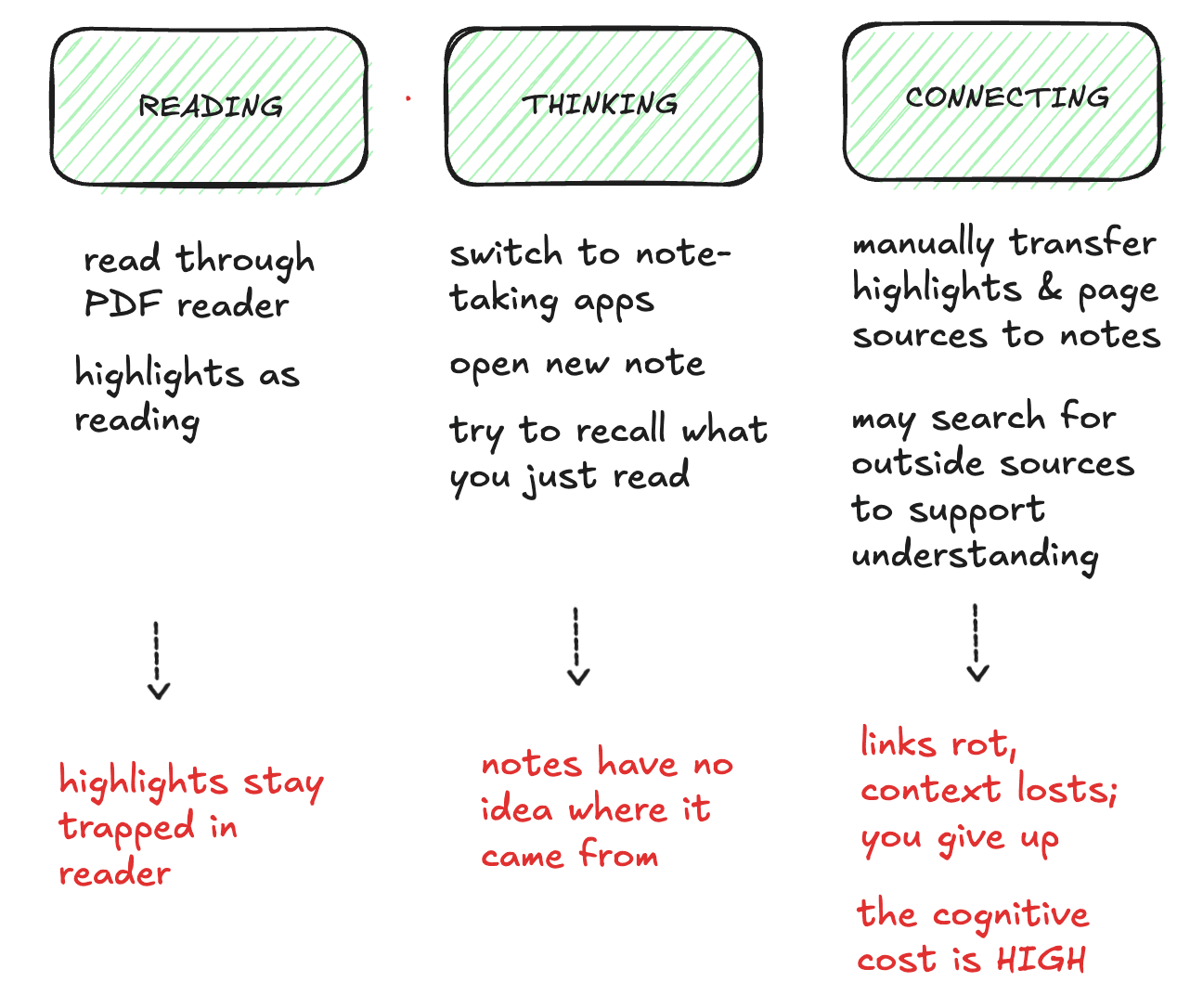
The Design Principle: Progressive Complexity
I had a strong conviction about how the product should feel: start with the most natural reading behavior (highlighting), let the user add context when they want it (comments, notes), and only then layer in features that use that accumulated data intelligently (semantic search, document chat).
This isn't just a UX preference — it's an architectural one. If the data model for highlights and annotations is well-structured from day one, adding AI capabilities later doesn't require a rebuild. It requires wiring.
What I Built in V1
I scoped the first version around the core reading-to-thinking loop, and nothing else:
- In-browser PDF highlighting — using react-pdf-highlighter-extended, with comments attached to each highlight so context lives with the source
- Block-based notes — BlockNote as the editor, with a custom "highlights" block that embeds and references PDF highlights directly inside notes
- Auth and persistence — Clerk for auth, Express + MongoDB on the backend so data is real and sessions are durable
- Deployed — Live on Google Cloud Run so it's usable, not just demoed
The result is a reading and annotation loop that works today and a data model structured for semantic search and document-grounded chat without architectural debt.
Tech Stack
- Frontend: Vite + React + TypeScript, React Router, Tailwind, DaisyUI
- Editor: BlockNote (block-based, Markdown-friendly)
- PDF: react-pdf-highlighter-extended, pdfjs-dist
- Backend: Express + MongoDB (Mongoose)
- Auth: Clerk
- Infrastructure: Google Cloud Run
I used AI-assisted development (Cursor) to move fast — which freed attention for the decisions that matter: data modeling, the highlight-to-note relationship, and the extension points for AI features.
Why PDFs Specifically?
PDFs are where serious reading happens — papers, research reports, long-form articles. Most tools treat them as an import format. I built around them as the primary surface because that's where the reading behavior I wanted to support actually lives. When semantic search and document chat arrive, they'll be built on real structure, not retrofitted onto a generic document editor.
What's Next
The roadmap is concrete. The chat UI already exists in the frontend — what remains is wiring the backend to an LLM (OpenAI or Anthropic) with context drawn from the user's own highlights and notes, then adding embeddings for semantic search. The goal is AI that augments your thinking using your knowledge base, not the entire internet.
Kiwizdom isn't trying to be another note-taking app. It's trying to be the last one.